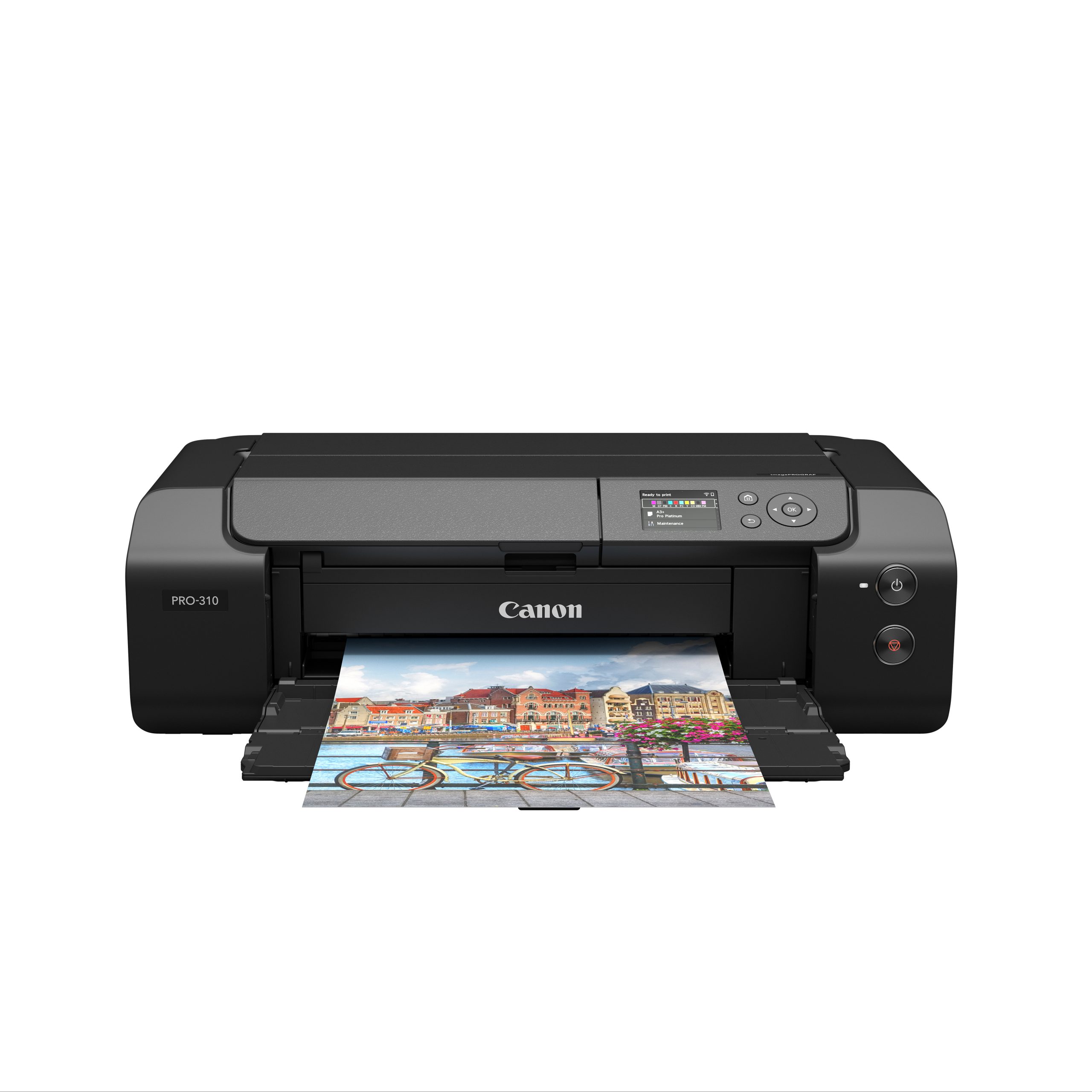
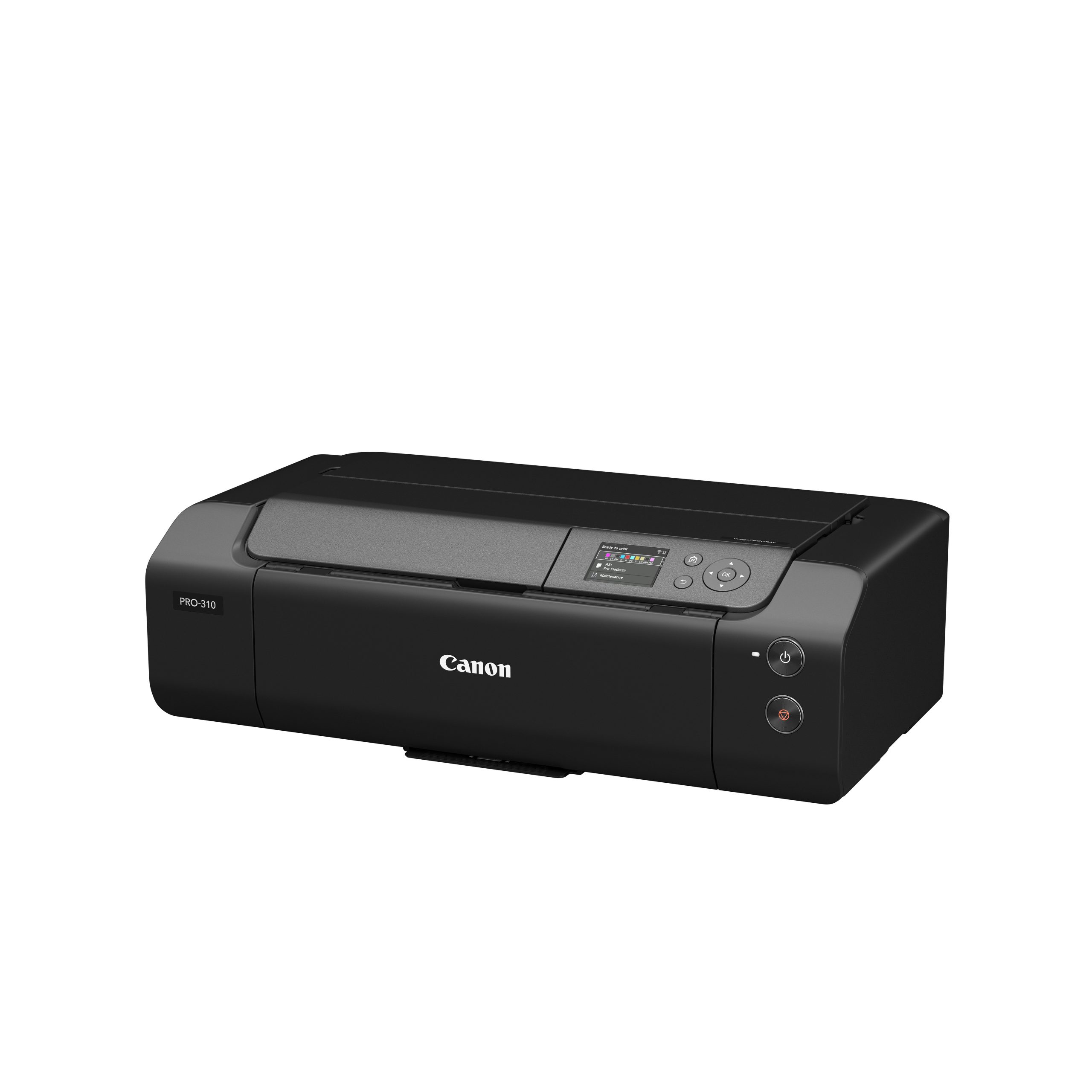
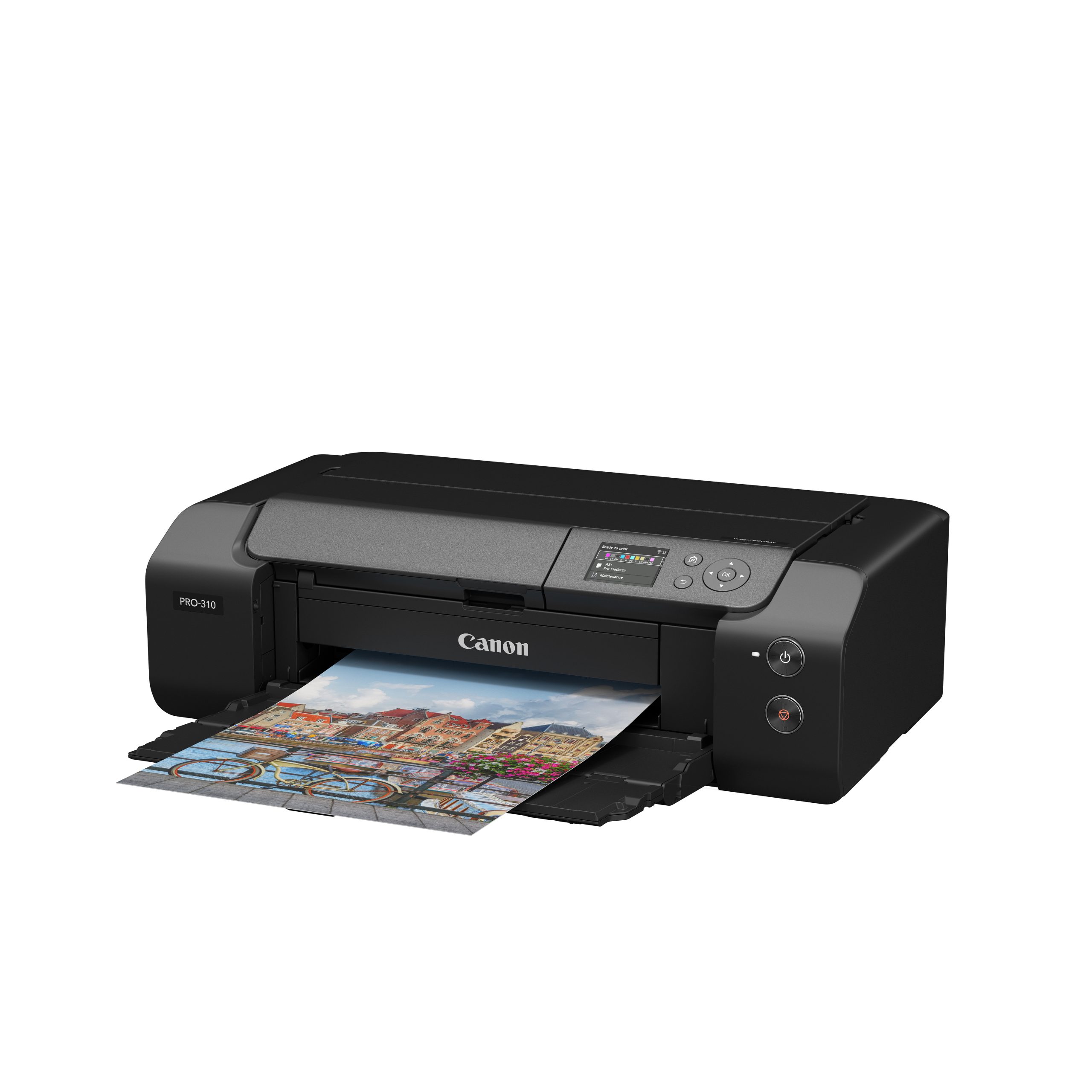
Canon imagePROGRAF PRO-310 A3+ Photo Printer

Empowering Excellence In Printing: Your Trusted Partner For Innovative Print Solutions And Services

Sale!

Canon imagePROGRAF PRO-310 A3+ Photo Printer

S $868.00

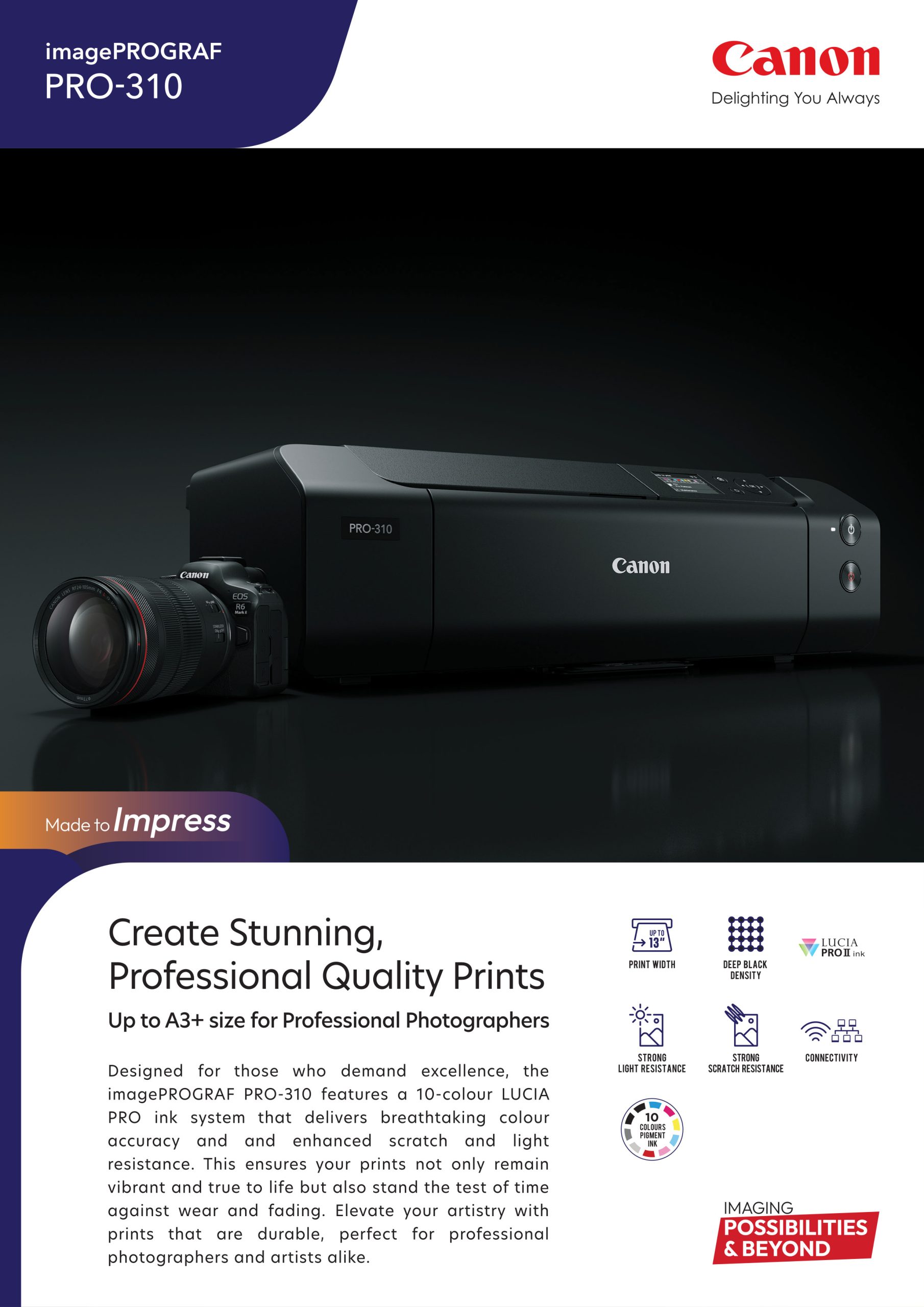
Create Stunning, Professional Quality Prints up to A3+ Size for Professional Photographers
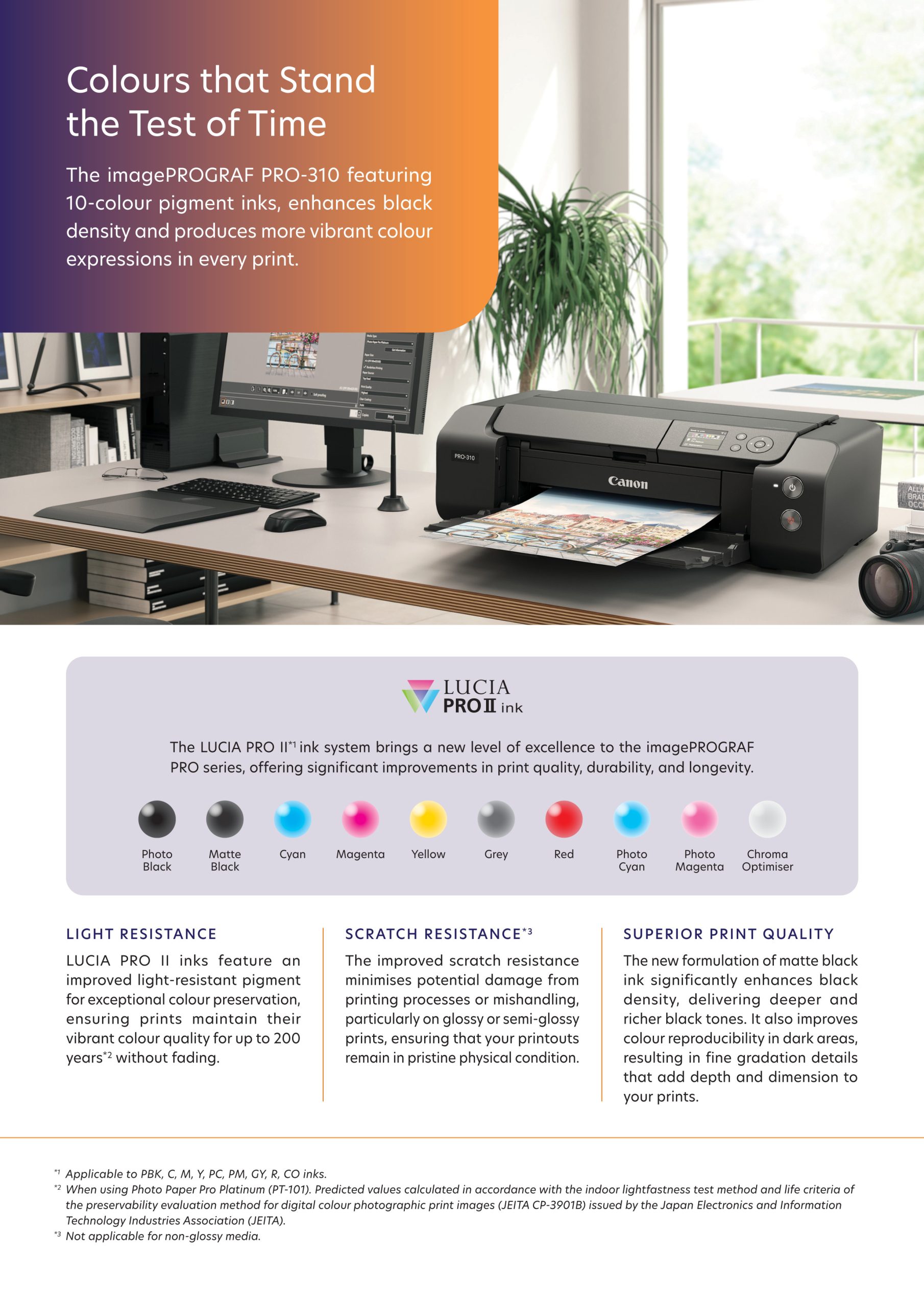
Designed for those who demand excellence, this A3+ printer features a 10-colour pigment ink system that ensures every detail is captured with stunning accuracy.

  • 10-Colour Ink System: The 10-ink system, which includes two dedicated black inks — Matte Black and Photo Black — allows for deep, rich blacks and exceptional shadow detail, making it ideal for both colour and monochrome photography.
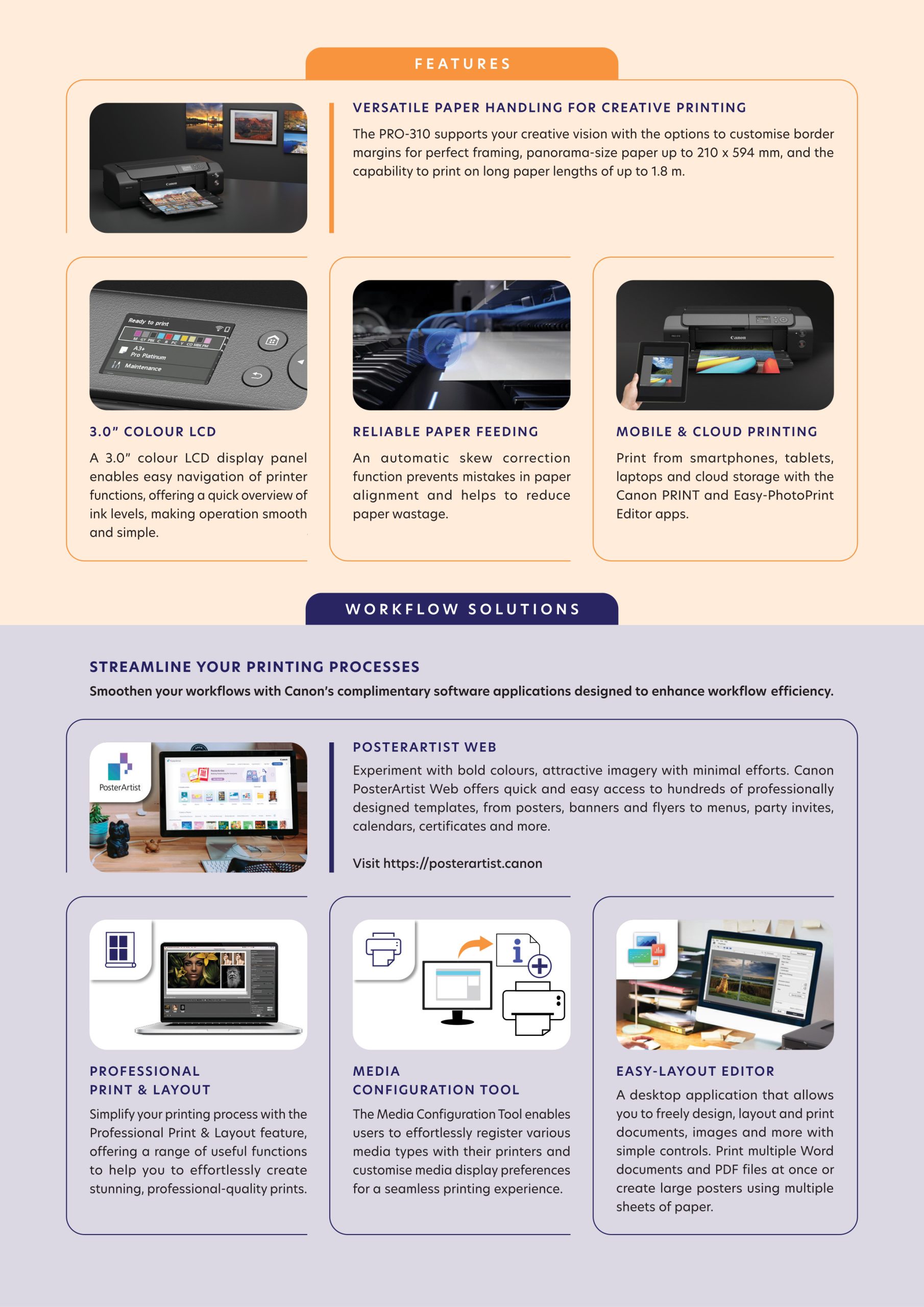
  • Colour LCD Display: A 3″ colour LCD display panel allows easy navigation of printer functions as well as monitoring ink level status at a glance, making operation smooth and simple.
  • Reliable Paper Feeding: An automatic skew correction function prevents mistakes in paper alignment and reduces paper wastage.
  • Custom Bordered Prints and Panoramas: The PRO-310 supports your creative vision with options to customise border margins for perfect framing requirements, panorama size paper at 210 x 594 mm as well as the ability to print on long paper lengths up to 1.8 m.
  • Compatible with Wide Range of Paper Media and Sizes: In addition to genuine Canon media, users can utilise specialty inkjet print media from various paper manufacturers. The manual feed tray supports thicker media and a wide range of paper sizes, offering flexibility for different printing needs.

DETAIL & SPECS

Full Description


Print

Print Head/Consumables
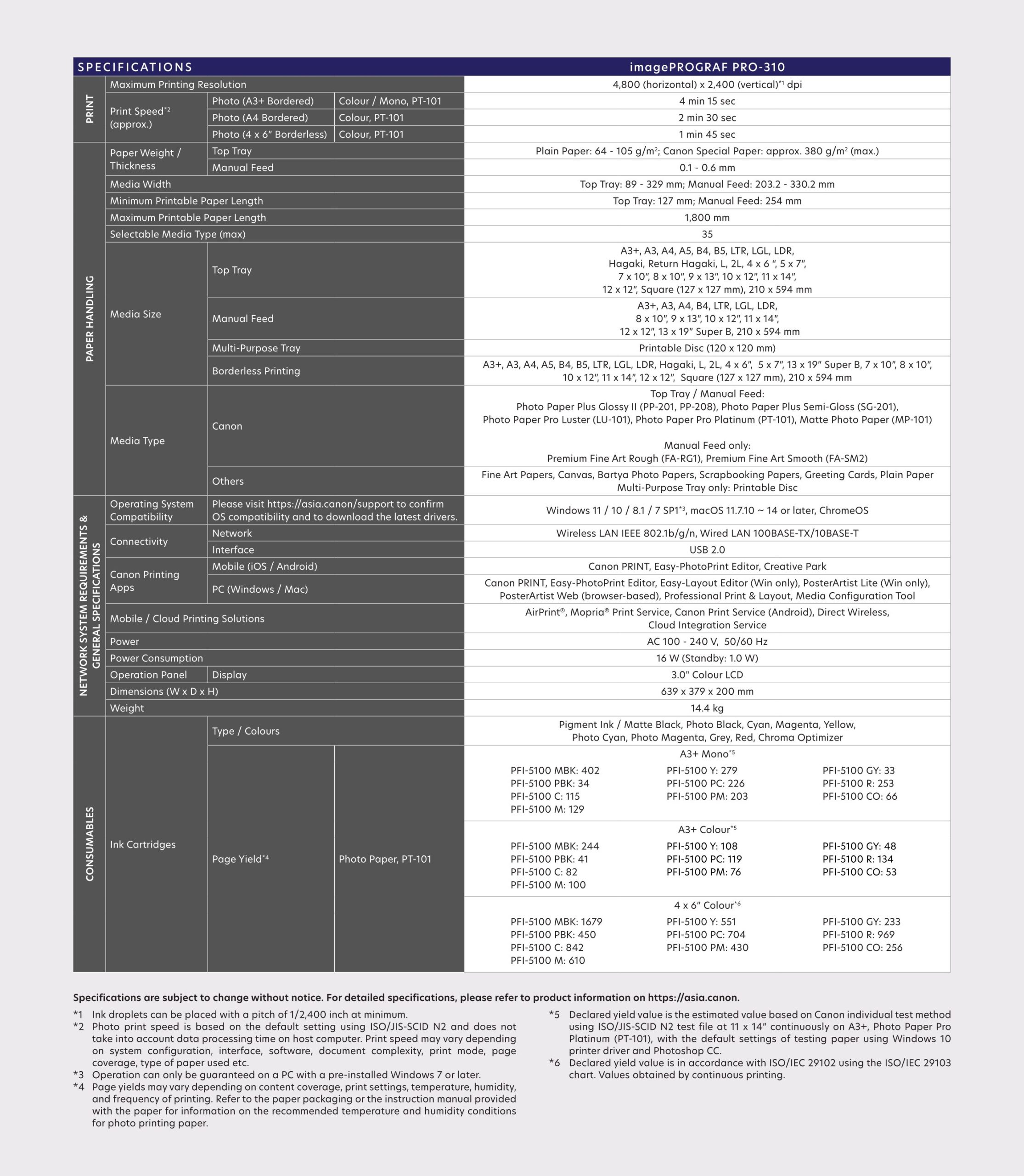
Number of Nozzles Total 7,680 nozzles
Ink Cartridges (Type/Colours) PFI-5100
(Pigment Ink/Matte Black, Photo Black, Cyan, Magenta, Yellow, Photo Cyan, Photo Magenta, Grey, Red, Chroma Optimizer)
Level Detection Detected by dot count
Maximum Printing Resolution 4,800 (Horizontal) x 2,400 (Vertical)*1 dpi
Print Speed*2 (Approx.)
Photo (11 x 14” image on A3+ with border)
(Mono/Colour, PT-101)
4 min 15 sec
Photo (8 x 10” image on A4 with border)
(Colour, PT-101)
2 min 30 sec

Paper Handling

Print Margin
Borderless Printing Top/Bottom/Left/Right: 0 mm
Bordered Printing Top: 3 mm, Bottom: 5 mm
Left/Right: 3.4 mm
(LTR/LGL: Left: 6.4 mm, Right: 6.3 mm)Recommended:
Top: 34 mm, Bottom: 37 mm
Left/Right: 3.4 mm
(LTR/LGL: Left: 6.4 mm, Right: 6.3 mm)
Supported Media
Top Tray Plain Paper (64 – 105 g/m²)

Canon:
Photo Paper Plus Glossy II (PP-201, PP-208)
Photo Paper Plus Semi-Gloss (SG-201)
Photo Paper Pro Luster (LU-101)
Photo Paper Pro Platinum (PT-101)
Matte Photo Paper (MP-101)

Others:
Photo Paper Pro Crystal Grade
Inkjet Hagaki
Hagaki
Hagaki A
Lightweight Photo Paper
Heavyweight Fine Art Paper
Japanese Paper Washi
Canvas
Photo Paper (Greyscale Printing)
Photo Paper (Long-Form Printing)
Fine Art Paper (Long-Form Printing)
Greeting Card
Scrapbooking

Manual Feed Canon:
Photo Paper Plus Glossy II (PP-201, PP-208)
Photo Paper Plus Semi-Gloss (SG-201)
Photo Paper Pro Luster (LU-101)
Photo Paper Pro Platinum (PT-101)
Matte Photo Paper (MP-101)
Premium Fine Art Rough (FA-RG1)
Premium Fine Art Smooth (FA-SM2)Others:
Photo Paper Pro Crystal Grade
Photo Paper Pro Premium Matte A
Lightweight Photo Paper
Heavyweight Photo Paper
Heavyweight Fine Art Paper
Extra Heavyweight Fine Art Paper
Highest Density Fine Art Paper
Japanese Paper Washi
Canvas
Baryta Photo Paper
Photo Paper (Greyscale Printing)
Fine Art Paper (Greyscale Printing)
Photo Paper (Long-Form Printing)
Fine Art Paper (Long-Form Printing)
Greeting Card
Scrapbooking
Multi-Purpose Tray Printable Disc
Paper Size
Top Tray A3+, A3, A4, A5, B4, B5, LTR, LGL, LDR, Hagaki, Return Hagaki, L, 2L, 4 x 6 “, 5 x 7″, 7 x 10″, 8 x 10″, 9 x 13″, 10 x 12″, 11 x 14″, 12 x 12”, Square (127 x 127 mm), 210 x 594 mm
Manual Feed A3+, A3, A4, B4, LTR, LGL, LDR, 8 x 10″, 9 x 13″, 10 x 12″, 11 x 14″, 12 x 12″, 13 x 19″ Super B, 210 x 594 mm
Multi-Purpose Tray Printable Disc (120 x 120 mm)
Borderless Printing*3 A3+, A3, A4, A5, B4, B5, LTR, LGL, LDR, Hagaki, L, 2L, 4 x 6″, 5 x 7″, 13 x 19″ Super B, 7 x 10″, 8 x 10″, 10 x 12″, 11 x 14″, 12 x 12″, Square (127 x 127 mm), 210 x 594 mm
Paper Weight/Thickness
Top Tray Plain Paper (64 – 105 g/m²)
Canon Special Paper: Approx. 380 g/m² (max.)
Manual Feed Paper Thickness: 0.1 – 0.6 mm
Paper Width
Top Tray 89 – 329 mm
Manual Feed 203.2 – 330.2 mm
Minimum Printable Paper Length
Top Tray 127 mm
Manual Feed 254 mm
Maximum Printable Paper Length 1,800 mm
Media Storage Capacity (max.) 35
Maximum Capacity
Top Tray Plain Paper:
A5, A4, B5, LTR = 100
A3, B4, LGL, LDR = 50Photo Paper Plus Glossy II (PP-201):
A3 = 10
A3+ = 1Photo Paper Plus Glossy II (PP-208):
4 x 6″ = 20
A4 = 10

Photo Paper Plus Semi-Gloss (SG-201):
4 x 6″ = 20
A4, A3 = 10
A3+ = 1

Matte Photo Paper (MP-101):
A4, A3 = 10

Photo Paper Pro Platinum (PT-101):
4 x 6″ = 20
A4, A3 = 10
A3+ = 1

Photo Paper Pro Luster (LU-101):
A4, A3 = 10
A3+ = 1

Manual Feed Photo Paper Plus Glossy II (PP-201, PP-208):
A4, A3, A3+ = 1Photo Paper Plus Semi-Gloss (SG-201):
A4, A3, A3+ = 1Matte Photo Paper (MP-101):
A4, A3 = 1

Photo Paper Pro Platinum (PT-101)/
Photo Paper Pro Luster (LU-101)/
Premium Fine Art Rough (FA-RG1)/
Premium Fine Art Smooth (FA-SM2)/
Photo Paper Pro Premium Matte (PM-101):
A4, A3, A3+ = 1

Network

Protocol SNMP, HTTP, TCP/IP (IPv4/IPv6)
Wired LAN
Type IEEE 802.3u (100BASE-TX) / IEEE 802.3 (10BASE-T)
Data Rate 100 Mbps / 10 Mbps (auto switchable)
Security IEEE 802.1X (EAP-TLS/EAP-TTLS/PEAP)
Wireless LAN
Type IEEE 802.11b/g/n
2.4 GHz, Supported Channels: 1 – 13
(TW: Supported Channels: 1 – 11 only)*⁴
Security WPA-PSK (AES)
WPA2-PSK (AES)
WPA3-SAE (AES)
WPA-EAP (AES)*⁵
WPA2-EAP (AES)*⁵
WPA3-EAP (AES)*⁵
Direct Connection (Wireless LAN) Available

Printing Solutions

Canon Printing Apps
Mobile (iOS/Android) Canon PRINT, Easy-PhotoPrint Editor
PC (Windows/Mac) Canon PRINT, Easy-PhotoPrint Editor, Easy-Layout Editor (Win only), PosterArtist Lite (Win only), PosterArtist Web (browser-based), Professional Print & Layout, Media Configuration Tool
Mobile/Cloud Printing Solutions AirPrint®, Mopria® Print Service, Canon Print Service (Android), Wireless Direct, Cloud Integration Service (via smartphone/tablet)

System Requirements

OS System Compatibility*6 Windows 11 / 10 / 8.1 / 7 SP1,
macOS 11.7.10 ~ 14 or later,
ChromeOS

General Specifications

Operation Panel
Display 3.0″ Colour LCD
Interface USB 2.0
Operating Environment*7
Temperature 5 – 35°C
Humidity 10 – 90% RH (no dew condensation)
Recommended Environment*8
Temperature 15 – 30°C
Humidity 10 – 80% RH (no dew condensation)
Storage Environment
Temperature 0 – 40°C
Humidity 5 – 95% RH (no dew condensation)
Quiet Mode Available
Acoustic Noise (PC Print)*9
Plain Paper (A4, Colour) 40.5 dB(A)
Power Requirements AC 100 – 240 V, 50/60 Hz
Power Consumption (Approx.)
OFF 0.05 W
Standby (USB connection to PC) 1.0 W
Operation 16 W
Dimensions (WxDxH) (Approx.)
Factory Configuration 639 x 379 x 200 mm
Weight (Approx.) 14.4 kg

Page Yield*10

Photo Paper (PT-101)
Click here for more information
A3+ Mono*11
PFI-5100 MBK: 360 sheets
PFI-5100 PBK: 30 sheets
PFI-5100 C: 100 sheets
PFI-5100 M: 120 sheets
PFI-5100 Y: 250 sheets
PFI-5100 PC: 200 sheets
PFI-5100 PM: 180 sheets
PFI-5100 GY: 30 sheets
PFI-5100 R: 230 sheets
PFI-5100 CO: 60 sheetsA3+ Colour*11
PFI-5100 MBK: 220 sheets
PFI-5100 PBK: 40 sheets
PFI-5100 C: 70 sheets
PFI-5100 M: 90 sheets
PFI-5100 Y: 100 sheets
PFI-5100 PC: 110 sheets
PFI-5100 PM: 70 sheets
PFI-5100 GY: 40 sheets
PFI-5100 R: 120 sheets
PFI-5100 CO: 50 sheets4 x 6″ Colour*12
PFI-5100 MBK: 1,510 sheets
PFI-5100 PBK: 410 sheets
PFI-5100 C: 760 sheets
PFI-5100 M: 550 sheets
PFI-5100 Y: 500 sheets
PFI-5100 PC: 630 sheets
PFI-5100 PM: 390 sheets
PFI-5100 GY: 210 sheets
PFI-5100 R: 870 sheets
PFI-5100 CO: 230 sheets
  1. Ink droplets can be placed with a pitch of 1/2400 inch at minimum.
  2. Print speed is based on the default setting using ISO/JIS-SCID N2 and does not take into account data processing time on host computer. Print speed may vary depending on system configuration, interface, software, document complexity, print mode, page coverage, type of paper used etc.
  3. Paper types NOT supported for borderless printing are as follows: Envelope, High Resolution Paper, T-Shirt Transfer.
  4. 2.4 GHz and 5 GHz (Wireless LAN IEEE 802.11a/ac/b/g/n) is applicable for Taiwan models only.
  5. Available with IEEE 802.1X (EAP-TLS/EAP-TTLS/PEAP).
  6. Please visit https://asia.canon/support to check OS compatibility and to download the latest driver updates.
  7. The performance of the printer may be reduced under certain temperature and humidity conditions.
  8. For the temperature and humidity conditions of papers such as photo paper, refer to the paper’s packaging or the supplied instructions.
  9. Acoustic Noise is measured based on ISO 7779 standard with default settings.
  10. Page yields may vary depending on content coverage, print settings, temperature, humidity, and frequency of printing.
  11. Declared yield value is the estimated value based on Canon individual test method using ISO/JIS-SCID N2 test file at 11 x 14″ continuously on A3+, Photo Paper Pro Platinum (PT-101), with the default settings of testing paper using Windows 10 printer driver and Photoshop CC.
  12. Declared yield value is in accordance with ISO/IEC 29102, using the ISO/IEC 29103 chart. Values obtained by continuous printing.
Disclaimers
  • To maintain optimal printer performance, Canon printer automatically perform cleaning based on its condition. During this cleaning process, a small amount of ink is consumed, which may include all colours of ink.
    [Cleaning function]
    The cleaning function helps remove air bubbles or clogs from the print head nozzles, preventing degradation in print quality or nozzle blockages.
  • Replacement parts for printers will be available for five years after production is discontinued. Depending on your model, we may recommend replacing it with a new unit or one that offers similar performance as part of our maintenance service. In such cases, you may find that supplies or accessories for your model are no longer available, or that compatible operating systems may change.
  • To achieve optimal print quality, use the ink within six months of opening.
  • Depending on your device, whether it is a computer or a smartphone and its operating system, the estimated ink level information displayed on your screen may differ from what appears on the printer’s operation panel. Additionally, some parts of the estimated ink level message shown on the printer may not be visible or may appear at different times. Canon recommends using the information displayed on the printer’s operation panel as your primary reference, noting that this information serves only as a guideline.
  • Depending on the type of paper and print settings, colour ink may still be used even when you print a monochrome document. If any colour of ink runs out, you will need to replace the ink cartridge.
  • You must install ink cartridges of all colours, regardless of whether you are printing in monochrome or colour. If any ink cartridges is not installed, an error will occur, and printing will not be possible.
  • When you use the Canon printer for the first time after installing the bundled ink cartridges, the printer consumes a small amount of ink to fill the nozzles of the print head. As a result, the number of sheets you can be printed with the initial set of ink cartridges is fewer than the subsequent cartridges.
  • The printing costs mentioned in the brochures or on the website are based on consumption data from the second and subsequent ink cartridges, not the first one.
  • For warranty details, please contact a Canon authorised sales representative in your country or region.
  • Please be aware that if a problem arises from using non-genuine ink cartridges (including those refilled with non-genuine ink through methods such as making a hole in the cartridge), a fee will be charged for repairs, even during the warranty period. Keep this in mind when using non-genuine ink.
  • Using non-genuine inks may affect the printer’s performance and print quality. In rare cases, where there are no safety concerns, non-genuine inks can cause the print head to overheat and emit smoke due to the absence of certain ingredient found in genuine ink.
    [Note: This does not apply to usage of all non-genuine inks.]
CONTACT US

Let’s Get in Touch

LOGIN

Or

Sign Up

Or